Documentation
Documentation
Introduction

Getting Started

Getting started
Getting StartedInstallationQuick StartProject Structure

Configuration

Configuration
ConfigurationEnvironment ConfigurationEdge ConfigDatabaseAuth SecretStripeFirebaseStorageGoogle Maps And Cloud Service AccountOAuth ProvidersEmail DeliverySentryFeature Flags

Architecture

Architecture
Architecture OverviewTech StackoRPC MiddlewareDesign Principles

Patterns

Patterns
Code Patterns & ConventionsFeature ModulesError HandlingType Safety

Database

Database
DatabaseSetupSchema DefinitionDatabase OperationsMigrationsCaching
Data Tables

API

oRPCProceduresRoutersoRPC Proxy Setup
APIsOpenAPIREST Endpoints

Auth & Access

AuthenticationConfigurationOAuth ProvidersRolesSession Management
AuthorizationUser RolesPermissions

Routing & i18n

RoutingDeclarative RoutingNavigation
InternationalizationTranslationsLocale Routing

Components & UI

ComponentsButtonsFormsNavigationDialogs
StylesTailwind CSSThemingTypography

Storage

Storage
StorageConfigurationUsageBuckets
Stripe Billing

Extra

Caching

Templates

Templates
Template GuidesCreate New FeatureCreate New PageCreate Database TableCreate oRPC RouterAdd Translations

Development

Development
DevelopmentCommandsAI AgentsBest Practices
Pulling Updates

Stripe

Configure Stripe API and webhook secrets

Variables

VariableRequiredPurpose
STRIPE_SECRET_KEYYesServer-side Stripe API key (sk_...).
STRIPE_WEBHOOK_SECRETYesWebhook signature validation secret (whsec_...).

Stripe Secret Key

  1. Open Stripe API keys URL: https://dashboard.stripe.com/<ACCOUNT_ID>/apikeys
  2. In left sidebar, click Developers -> API keys.
  3. Copy Secret key.
  4. Use production key for production envs and test key for local/dev.

Webhook Signing Secret

  1. Open Developers -> Webhooks.
  2. Click Add destination.
  3. Choose destination type Webhook endpoint.
  4. Set endpoint URL to https://<host>/api/auth/stripe/webhook.
  5. Give the destination a clear name.
  6. Select events used by your billing flow.
  7. Click Create destination.
  8. Open the created webhook and copy signing secret (whsec_...) into STRIPE_WEBHOOK_SECRET.

If this is the first Stripe setup in your project, align SDK and API version:

bun add stripe@latest
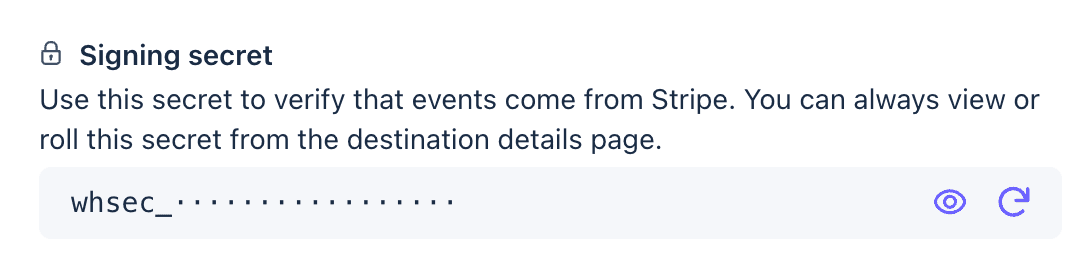
Stripe webhook signing secret panel

Local Testing

  1. Install Stripe CLI: https://docs.stripe.com/stripe-cli/install
  2. Login:
stripe login
  1. Start local webhook forwarding:
bun run stripe:listen

Webhook Version Rotation

When updating Stripe SDK/api-version behavior:

  1. Create a new webhook endpoint with the same event set and new API version.
  2. Update STRIPE_WEBHOOK_SECRET with the new value.
  3. Deploy and verify events are processed.
  4. Remove the old webhook endpoint.

On this page

Variables
Stripe Secret Key
Webhook Signing Secret
Local Testing
Webhook Version Rotation