Database
Configure DATABASE_URL with Neon or Supabase
Variable
| Variable | Required | Purpose |
|---|---|---|
DATABASE_URL | Yes | PostgreSQL connection string used by Drizzle and app runtime. |
Option A: Neon (Free)
- Create account/sign in at https://console.neon.tech/app.
- Click
New project. - Set
Project nameandPostgres version(17 recommended). - Choose the closest region.
- Keep
Neon Authdisabled. - Click
Create project. - Click
Connect. - Click
Show password. - Copy the inner pooled
psqlconnection string. - Save it to
DATABASE_URL.
Example:
DATABASE_URL="postgresql://neondb_owner:<password>@<pooler_url>.eu-central-1.aws.neon.tech/neondb?sslmode=require&channel_binding=require"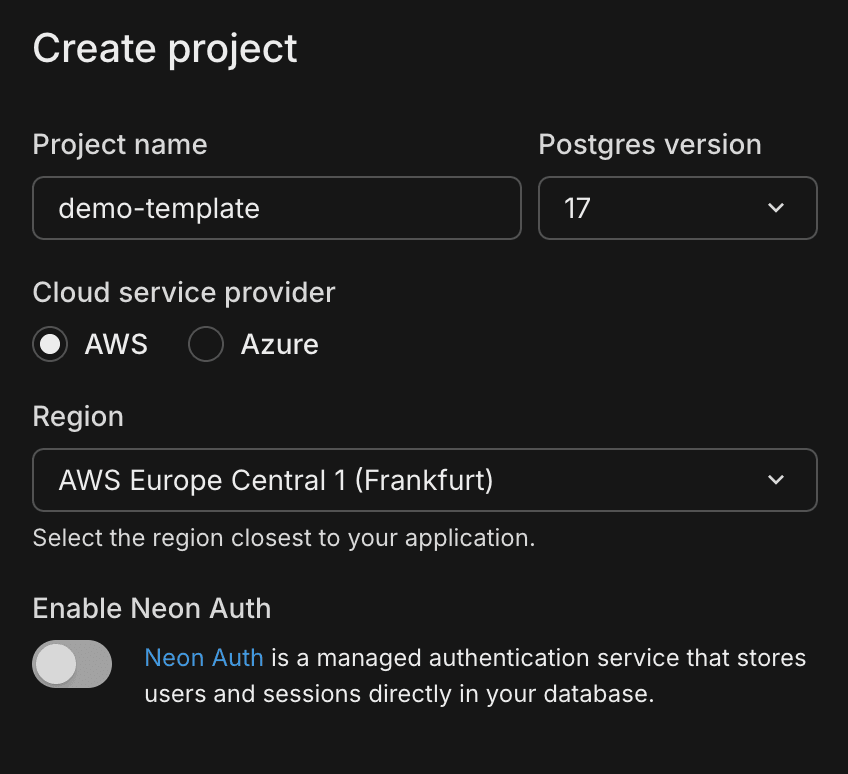
Option B: Supabase
- Create/select project in https://supabase.com/dashboard.
- Click
New projectand fill project name, region, and DB password. - Wait for provisioning to complete.
- Open
Project Settings -> Database. - In connection info, copy the Postgres connection string (direct or pooled).
- Ensure SSL parameters are included where required.
- Save value to
DATABASE_URL.
Example:
DATABASE_URL="postgresql://postgres:<password>@db.<project-ref>.supabase.co:5432/postgres?sslmode=require"Initialize Database
After setting DATABASE_URL, run:
npm run db:setup
npm run db:push
Related docs: