Storage
Configure storage provider selection, Firebase Storage, and S3-compatible buckets
Select Provider In App Config
Set the storage provider in src/config/app.ts:
Storage: {
  STORAGE_PROVIDER: "firebase", // or "s3"
}
Firebase Storage Provider
If you use Firebase for file buckets:
- Open Firebase project: https://console.firebase.google.com/
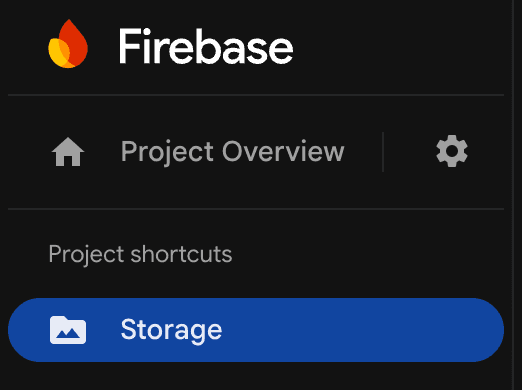
- Go to
Storage. - Click
Get startedif storage is not initialized. - If prompted, enable billing.
- Create the storage bucket in production mode.
- Ensure
Config.Storage.STORAGE_PROVIDERis set to\"firebase\".
Admin SDK Access Model
This template uses Firebase Admin SDK for server-side file operations, so client storage rules are not the primary access control layer for app uploads/downloads.
S3-Compatible Provider (AWS S3, R2, MinIO)
Variables
| Variable | Required | Purpose |
|---|---|---|
S3_ENDPOINT | Conditional | Custom endpoint (R2/MinIO/etc.). Leave empty for AWS S3. |
S3_REGION | Yes | Region (or auto for R2). |
S3_ACCESS_KEY | Yes | Access key ID. |
S3_SECRET_KEY | Yes | Secret access key. |
S3_BUCKET | Yes | Target bucket name. |
Setup
- Create a bucket in your storage provider.
- Create access key credentials with read/write permissions.
- Copy region and endpoint details.
- Add S3 env values to
.env.local. - Set
Config.Storage.STORAGE_PROVIDERto\"s3\". - Test with a small upload flow in the app.
If you are using Firebase provider, these S3 variables can remain unset.
AWS S3 Example
S3_ENDPOINT=""
S3_REGION="eu-central-1"
S3_ACCESS_KEY="AKIA..."
S3_SECRET_KEY="..."
S3_BUCKET="my-template-bucket"
Cloudflare R2 Example
S3_ENDPOINT="https://<account-id>.r2.cloudflarestorage.com"
S3_REGION="auto"
S3_ACCESS_KEY="..."
S3_SECRET_KEY="..."
S3_BUCKET="my-r2-bucket"
Notes
- Keep credentials server-side only.
- Restrict key permissions to the required bucket(s).
- Prefer separate credentials per environment.